Add Admin Block
Overview
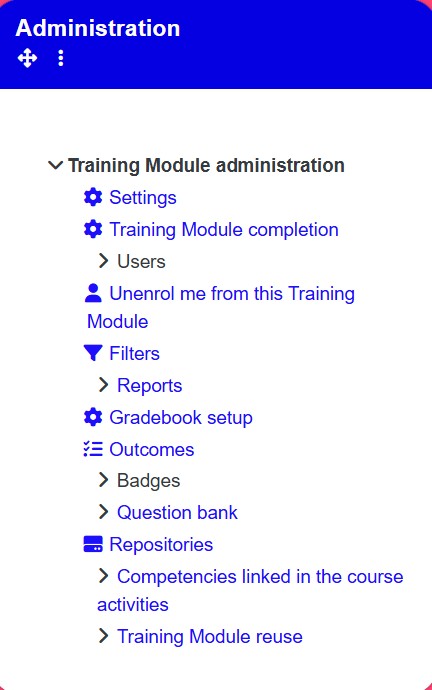
Add an administration block to the right-hand side of a training module to provide quick access to management functions. The admin block gives company managers control over training module settings, completion tracking, user management, and gradebook setup.
Permissions / Access
- Company Manager
Navigation Path
Training Dashboard -> [Select Training Module] -> Turn on Edit Mode
Steps
- Click on the Training Dashboard on the left navigation menu.
- Open the training module where you want to add the admin block.
- Turn on Edit Mode in the top-right corner.
- On the left-hand side of the page, click the Add a Block tab.
- Click Administrator.
- The admin block is added to the right-hand side of the screen.
Result
- The administration block appears on the right-hand side of the training module.
- Company managers can access settings, training module completion, users, and gradebook setup from the admin block.
Notes / Tips
- The admin block provides quick access to common management functions without navigating away from the training module.
- Only company managers can see and use the administration block.