View Outgoing Email Report
Overview
Use the Outgoing Email Report to review sent email activity.
This report is helpful when you need to confirm that messages were sent, review communication records, or investigate delivery activity.
Permissions / Access
Who can perform this action?
- Department Manager
- Company Manager
Navigation Path
Admin Dashboard -> Reports -> Outgoing Email Report
Steps
- Open Admin Dashboard.
- Select the Reports tab.
- Select Outgoing Email Report.
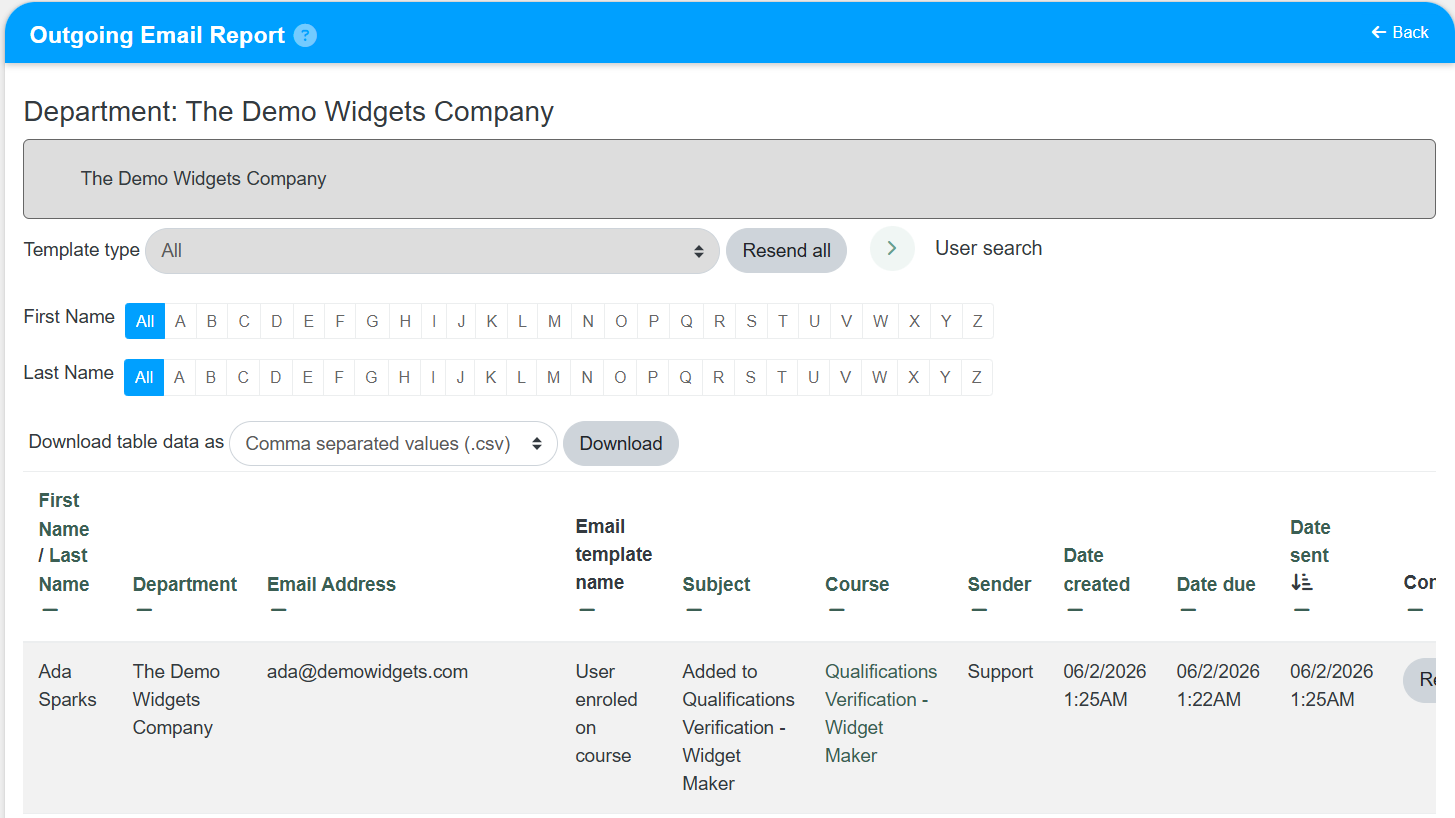
- Select any available filters, such as user search, department, or message details.
- Review the outgoing email activity shown in the report.
Result
- The Outgoing Email Report opens with the selected results.
- You can review sent email activity and confirm communication history.
Notes / Tips
- Use filters to narrow results before reviewing large email activity logs.
- Compare report dates carefully when checking whether a message was sent.
Troubleshooting
Common issue: You cannot find a specific email record.
Solution: Adjust the date range or other filters, then run the report again.
Common issue: The report loads but does not show recent activity.
Solution: Refresh the report and confirm that the correct filters are selected.