Mentoring Report
Overview
Use the Mentoring Report to review mentoring activity and mentoring-related progress for users. This report is helpful when you need to monitor mentoring participation, confirm activity, or review mentoring outcomes for a department or company.
Permissions / Access
Who can perform this action?
- Department Manager
- Company Manager
Navigation Path
Admin Dashboard -> Reports -> Mentoring Report
Steps
- Open Admin Dashboard.
- Select the Reports tab.
- Select Mentoring Report.
- Select any available filters, such as mentors, mentees, or table.
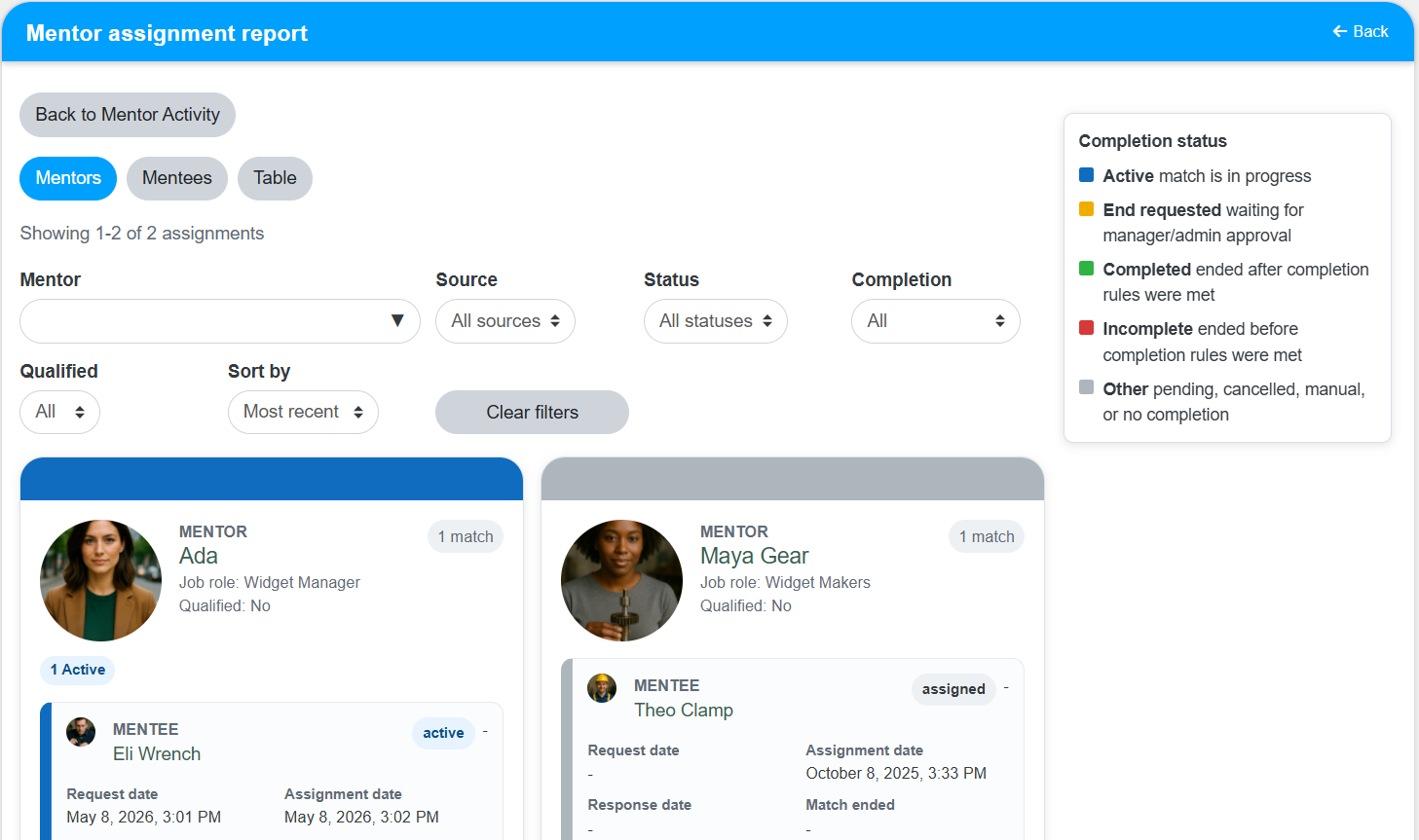
- Review the mentoring details shown in the report.
Result
- The Mentoring Report opens with the selected results.
- You can review mentoring activity and confirm mentoring participation or outcomes.
Notes / Tips
- Use filters to narrow the results before reviewing mentoring records.
- Review the selected date range and user filters before comparing mentoring activity.
Troubleshooting
Common issue: The report does not show the mentoring records you expected.
Solution: Confirm that the correct department, mentor, mentee, or date filters are selected.
Common issue: The results are difficult to review.
Solution: Narrow the report with filters before running it again.